
How to use Claude Code correctly for real dev work
How to use Claude Code correctly: stop chatting, start tasking, and improve coding results with constraints, tests, and workflow design.

Table of Contents
Quick Answer
How to use Claude Code correctly starts with a mental shift: treat it like a junior autonomous operator, not a chatbot. Give it repo context, tool boundaries, tests, and acceptance criteria, then verify every meaningful change through an explicit review loop.
Most developers ask how to use Claude Code correctly after they've already stumbled. First they chat with it. Then they start asking why it wrote believable code, touched the wrong files, or solved a different problem entirely. That's usually not model failure. It's workflow failure. Claude Code isn't a chatbot, and if you keep treating it like one, you'll keep getting chatbot-level output from a tool built to work inside an actual development environment.
Why how to use Claude Code correctly starts with the right mental model

How to use Claude Code correctly starts with a better frame: treat it like a junior autonomous operator that can inspect, edit, and test code while you supervise. That's the shift. A chatbot answers. An agent acts. When developers write prompts like "can you improve this file?" they leave far too much room for interpretation. And that often leads to unnecessary refactors, quiet assumptions, or edits that ignore team conventions. Anthropic's own guidance has pushed developers toward scoped tasks, repo awareness, and iterative verification instead of loose chat, and that lines up with what seasoned engineering teams already rely on in CI/CD practice. Worth noting. Compare "fix auth" with a tighter brief: reproduce a session-timeout bug in a named service, change only two files, preserve the API contract, and add regression tests. We'd argue this mental model matters more than any clever prompt formula. Once you stop treating Claude Code like a talkative assistant, the quality of the output usually jumps.
Claude Code is not a chatbot: what developers get wrong

Claude Code is not a chatbot because it does its strongest work when it can operate against a codebase, tools, and explicit limits instead of improvising from a chat box. Yet plenty of developers still approach it like they're asking Stack Overflow for a favor. They send broad requests, leave out repository rules, skip test expectations, and never spell out what success means. So drift becomes almost inevitable. The result may look polished. But it can still be operationally wrong. Think of a React app where someone asks Claude Code to "clean up the dashboard" and gets broad component rewrites, style changes, and renamed props that break downstream tests. Not quite. That's not intelligence going rogue. It's sloppy task framing. Our take is simple: if your prompt sounds like a conversation starter rather than a work order, you're probably steering Claude Code off course. That's a bigger shift than it sounds.
How to use Claude Code correctly with repo context, constraints, and tests
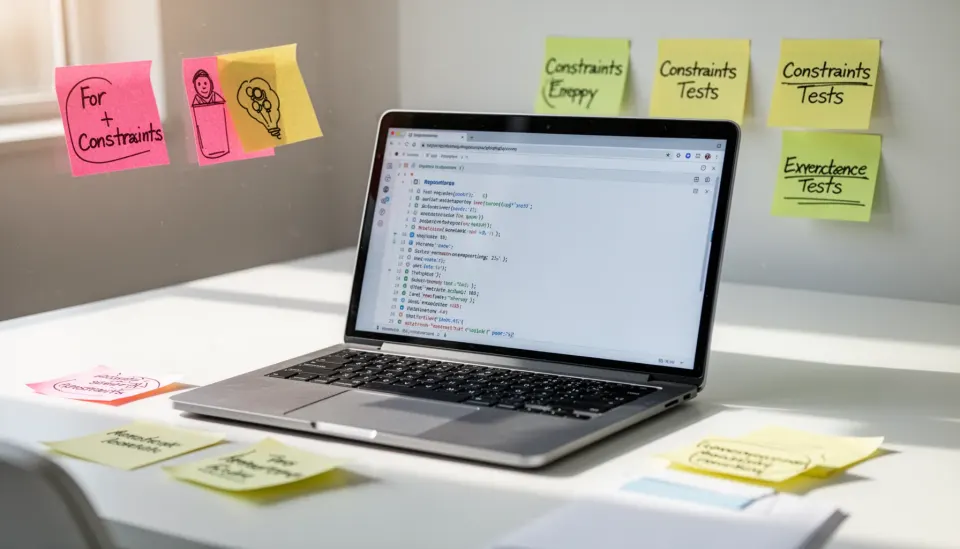
How to use Claude Code correctly means giving it the same context you'd hand a new engineer in week one. Be specific. Name the repo path, target files, architectural boundaries, package manager, coding standards, test commands, and anything it must not touch. And if migration rules, performance ceilings, security constraints, or backward-compatibility requirements exist, say so early rather than hoping the model picks them up from nearby code. GitHub Copilot, Cursor, and Sourcegraph-style tools all became more useful when teams treated context as a first-class input, and Claude Code follows that same rule even if its style feels more agent-like. Here's the thing. A solid task brief might read: investigate failing checkout tax calculations in `/services/billing`, change only calculation logic, keep existing endpoints intact, add unit tests for three edge cases, and stop before commit. That's a real brief. And it usually beats twenty lines of chatty coaxing by a mile. Worth noting.
What are the most common Claude Code prompting mistakes?

The most common Claude Code prompting mistakes are simple: under-specify the task, make the ask too broad, and skip a verification plan. Each one breaks something different. Under-specification forces the tool to guess. Over-scoping nudges it into more files than necessary. Missing verification lets bad assumptions stick around long enough to waste review time. We've seen the same pattern across developer tooling, from early GitHub Copilot pair-programming sessions to newer agent workflows in IDEs like Cursor, where the first output often sounds persuasive even when it misses hidden team requirements. A practical example: ask for a "performance improvement" without setting a benchmark, and you'll invite speculative rewrites instead of targeted profiling and measurement. Simple enough. If you want fewer mistakes, make Claude Code earn precision. Don't reward confidence with vagueness. That's a bigger deal than it first appears.
Claude Code vs chatbot AI coding tools: what actually changes?
Claude Code vs chatbot AI coding tools comes down to execution posture: one should carry out bounded engineering tasks, while the other mostly explains or suggests. That's a consequential difference. In a chatbot workflow, the developer stays the main operator and manually turns advice into code changes. Useful for brainstorming. Slow for shipping. In a Claude Code workflow, the developer becomes the reviewer, dispatcher, and verifier who defines the task and checks the result against tests and constraints. Anthropic's approach sits much closer to agentic coding than plain Q&A, which is why the wrong interaction style causes more damage here than it would with a standard assistant. Take a Python service with flaky tests: a chatbot may outline likely race conditions, but Claude Code can inspect the suite, patch synchronization logic, and run targeted tests if the environment permits it. We'd argue the chatbot comparison hides the tool's real operating mode. It's closer to delegated implementation than conversational support. Worth noting.
Step-by-Step Guide
Define the task as a work order
Write the request like you'd brief a junior engineer before they touch production code. Name the bug or feature, the desired outcome, affected files or directories, and what must remain unchanged. If the task is fuzzy to you, it will be fuzzy to Claude Code too.
Provide repository and environment context
Tell Claude Code where it is working, how the project is structured, and which commands matter. Include framework versions, package manager details, coding standards, and deployment constraints. This reduces the model's temptation to invent patterns that don't fit your stack.
Set hard boundaries on scope
State which files it may edit and which areas are off-limits. Add constraints such as preserving public interfaces, avoiding schema changes, or limiting edits to tests and one service module. Boundaries turn a wandering agent into a focused one.
Specify tests and acceptance criteria
List the exact checks that define done, including unit tests, linting, type checks, and expected behavior under edge cases. Good acceptance criteria beat vague quality language every time. You're not asking for "better" code; you're asking for code that passes named conditions.
Review diffs before trusting intent
Inspect what changed, not just the explanation Claude Code gives you. Agentic tools can sound right while smuggling in extra edits, assumptions, or style drift. A line-by-line review catches overreach faster than a polished summary ever will.
Close the loop with verification
Run tests, reproduce the original issue, and confirm the fix under realistic conditions. If possible, ask Claude Code to explain why the change works and what risks remain, then verify that explanation yourself. The loop only closes when behavior matches the brief.
Key Statistics
- Anthropic reported in 2024 that Claude 3 Opus outperformed several peer models on graduate-level reasoning and coding-adjacent evaluation tasks across public benchmarks.Benchmark strength matters, but it doesn't erase workflow discipline. Strong reasoning still fails when developers give weak task briefs.
- GitHub said in 2024 that developers using GitHub Copilot completed certain coding tasks up to 55% faster in controlled studies.The takeaway isn't that every AI coding tool saves identical time. It's that well-integrated assistance can speed delivery when paired with a real engineering workflow.
- Google's 2024 DORA research continued to show that elite software teams rely on fast feedback loops, automated testing, and small batch changes.That maps directly to Claude Code best practices. Agentic coding works better when teams already operate with clear verification discipline.
- Stanford's 2024 AI Index found that industry-led frontier model development now far outpaces academia in training scale and deployment activity.That shift helps explain why tools like Claude Code are arriving quickly in developer workflows. It also raises the cost of using them casually instead of operationally.
Frequently Asked Questions
What does it mean that Claude Code is not a chatbot?
How do you use Claude Code correctly on a real repository?
What are the biggest Claude Code prompting mistakes developers make?
How is Claude Code different from chatbot AI coding tools?
When should developers avoid using Claude Code for a task?
Key Takeaways
- Claude Code isn't a chatbot; it needs tasks, context, and guardrails
- Better briefs produce better code than clever conversational prompting
- Repo constraints, tests, and acceptance criteria cut rework and drift
- The main failure modes are silent assumptions, overreach, and weak verification
- Teams get better outcomes when they design workflows, not just prompts