
LLM on 1998 iMac G3 32 MB RAM: What It Proves
LLM on 1998 iMac G3 32 MB RAM reveals how tiny local models, Retro68 tooling, and PowerPC hacks point to AI miniaturization.
Table of Contents
Quick Answer
An LLM on 1998 iMac G3 32 MB RAM is technically possible because the model was tiny, the toolchain was cross-compiled, and the software was stripped down to the bare essentials. The feat matters less as nostalgia and more as proof that useful local inference can shrink far below today's normal assumptions.
An LLM on a 1998 iMac G3 with 32 MB of RAM sounds like clickbait. But it isn't. The machine was a stock 233 MHz iMac G3 Rev B from October 1998, running Mac OS 8.5 with no upgrades at all, and the model was Andrej Karpathy's roughly 260K-parameter TinyStories checkpoint built on a Llama 2-style architecture. Tiny by current standards. Yet that little checkpoint, roughly 1 MB, turns a retrocomputing prank into something more consequential: a live proof that small local language models can shrink far further when engineers chase constraints instead of hype. That's a bigger shift than it sounds.
How did an LLM on 1998 iMac G3 32 MB RAM actually run?
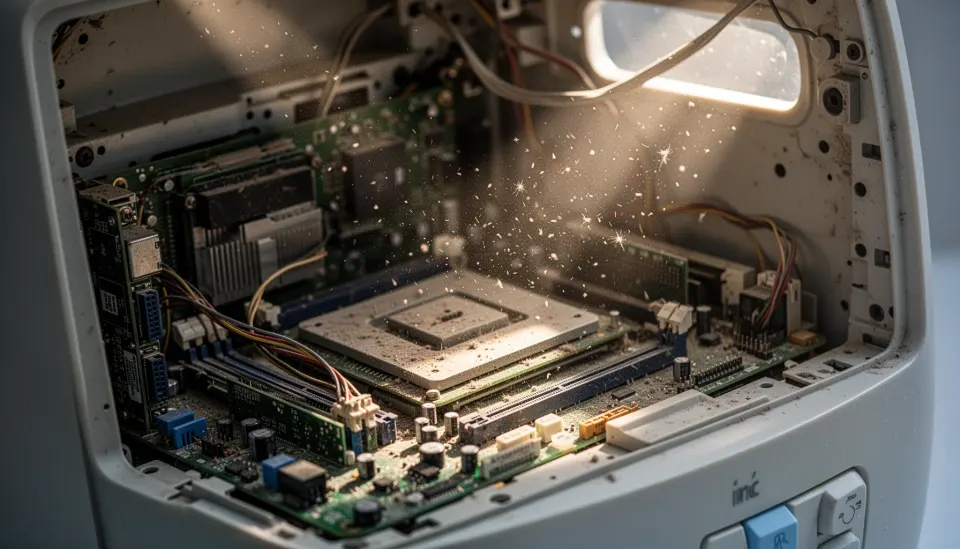
An LLM on a 1998 iMac G3 with 32 MB of RAM worked because every layer of the stack got stripped down for a machine that predates modern AI by a long stretch. That's the short version. The hardware was a stock iMac G3 Rev B with a 233 MHz PowerPC 750 CPU and only 32 MB of RAM. Not much. So the model had to stay tiny, and the runtime couldn't waste memory anywhere. The reported checkpoint was Andrej Karpathy's 260K TinyStories model, a roughly 1 MB file built on a Llama 2-style architecture, small enough to squeeze into late-1990s limits if you handle memory carefully. Worth noting. The code was cross-compiled on a newer Mac mini with Retro68, a GCC-based toolchain for classic Mac OS that outputs PEF binaries. And classic Mac OS plus PowerPC means endian quirks and old binary formats, so the software almost surely needed architecture-aware fixes rather than a straight port. We love the absurdity of that. But the deeper point matters more: model size, not only compute speed, now decides what still counts as possible.
What toolchain and compromises are needed to run local LLM on vintage Mac hardware?
To run a local LLM on vintage Mac hardware, you need cross-compilation, strict memory discipline, and a willingness to throw out anything nonessential. That's the reproducible hacker-diary version. Retro68 is the star here because it lets developers compile modern C or C++ into binaries that older Mac OS releases can actually run, which isn't a normal AI workflow by any stretch. Strange, but effective. The experiment also had to manage endian-swapped data handling, older runtime assumptions, and a machine that can't mask sloppy code with spare RAM. That means no giant tokenizer assets, no bulky inference engine, and no comfort-layer abstractions from frameworks like PyTorch or llama.cpp in their usual form. We'd argue that's a bigger software story than the screenshot. A concrete comparison makes it plain: even Raspberry Pi-class deployments often assume hundreds of megabytes to several gigabytes of memory, while this iMac had 32 MB total for the OS, program, buffers, and model. So the phrase "it technically runs" really matters. Because it suggests the port sits closer to systems programming than to AI app development.
Why TinyStories model on old hardware says something real about AI miniaturization
A TinyStories model on old hardware matters because it points to how low the floor for local inference may actually be. That's the bigger story. Karpathy's TinyStories project has served as a compact proving ground for language-modeling ideas for a while now, and this 260K-parameter checkpoint makes clear that a toy-sized model can still produce recognizable language behavior under harsh limits. Small, yes. According to the TinyStories paper context first shared in 2023, small models trained on simplified story corpora can punch above their weight in coherence because the data distribution stays intentionally narrow and learnable. That doesn't make them substitutes for GPT-4-class systems. Not quite. But it does hint at a future market for tiny, domain-bounded models in educational toys, industrial HMIs, offline assistants, and odd embedded devices where privacy and cost matter more than broad capability. Think LeapFrog, not ChatGPT. We think many headline writers will miss that part. Miniaturization isn't just compression for bragging rights; it's a design philosophy about matching model size to the actual job. Worth watching.
Can you reproduce the Retro68 LLM classic Mac OS experiment today?

Yes, you can probably reproduce the Retro68 LLM classic Mac OS experiment, but you'll need patience and modest expectations. That's only fair. Start with a compatible classic Mac target or an emulator path. Then cross-compile from a newer system with Retro68 so you can generate PowerPC-friendly binaries without wrestling ancient compilers directly. Simple enough. After that, you'll need to adapt model loading, tokenizer handling, and byte-order logic for a big-endian environment, which sounds trivial until it eats your weekend. The model has to remain tiny, likely around the reported 1 MB scale, and every allocation needs scrutiny because Mac OS 8.5 won't save you from sloppy memory use. If you've built old-console homebrew or PowerPC ports, the workflow will feel familiar. Here's the thing. Still, we'd argue the real value in reproducing it isn't just posting a screenshot to X; it's seeing how much modern AI software assumes hardware abundance.
Step-by-Step Guide
Source the exact hardware or an accurate emulator
Get a stock iMac G3 Rev B if you want the authentic route, or use a classic Mac emulator for faster iteration. The real machine matters if you want honest performance and memory behavior. But an emulator can save hours while you debug binaries and file handling.
Set up Retro68 on a modern Mac
Install Retro68 on a newer machine, such as a Mac mini, so you can cross-compile for classic Mac OS. This toolchain outputs PEF binaries that older systems understand. You'll want a clean build environment because tiny portability bugs become big problems fast.
Choose a truly tiny checkpoint
Use an ultra-small model like the roughly 260K-parameter TinyStories checkpoint mentioned in the experiment. Larger models will collapse under the memory ceiling before inference even starts. Keep the tokenizer and runtime assets as small as possible too.
Patch endian and binary compatibility issues
Adjust data loading for PowerPC's big-endian behavior and test every file read path carefully. Model weights, tokenizer tables, and buffer layouts can all break if you assume little-endian defaults. This is the least glamorous step and probably the most consequential.
Trim the inference runtime aggressively
Strip the code down to essential inference logic and remove any library overhead you don't need. Avoid desktop-era conveniences that quietly consume memory. The machine has only 32 MB RAM, and Mac OS 8.5 needs a share of that before your program starts.
Benchmark prompts and watch memory use
Run short prompts, log token generation behavior, and measure memory pressure during load and inference. Expect slow output and occasional instability. The point isn't speed; it's proving the lower bound of local language modeling on severely constrained hardware.
Key Statistics
- The hardware was a stock October 1998 iMac G3 Rev B with a 233 MHz PowerPC 750 CPU and 32 MB of RAM.That spec makes the experiment notable because it uses a mainstream late-1990s consumer machine, not a retro system secretly upgraded into modern viability.
- The checkpoint was roughly 260K parameters and about 1 MB in size, based on a Llama 2-style architecture from Andrej Karpathy's TinyStories work.That tiny footprint is what made local inference feasible at all on classic Mac OS hardware.
- Cross-compilation reportedly happened on a modern Mac mini using Retro68, a GCC-based toolchain that targets classic Mac OS PEF binaries.This matters because reproducibility depends more on the build chain than on the headline hardware itself.
- A modern entry-level smartphone ships with RAM measured in gigabytes, meaning the iMac's 32 MB offers hundreds of times less working memory than common consumer devices today.That gap highlights why the experiment says something meaningful about model compression and edge inference, not just retro novelty.
Frequently Asked Questions
What model ran on the 1998 iMac G3?
How much RAM did the vintage Mac have?
Why use Retro68 for a classic Mac LLM port?
Is this useful beyond being a retro stunt?
Can larger models run on old PowerPC Macs too?
Key Takeaways
- A 1 MB TinyStories checkpoint makes absurdly old hardware feel relevant again.
- The Retro68 cross-compilation path sits at the center of reproducing the experiment.
- Endian issues and memory limits shaped nearly every engineering compromise.
- This isn't practical AI deployment, but it is a strong lower-bound experiment.
- Tiny local models could matter for edge devices, toys, and offline tools.