
Smart TV Privacy: Stop Tracking and Protect Your Data
Learn how to check smart TV privacy settings, disable ACR and personalized ads, review voice controls, and reduce tracking without losing key features.
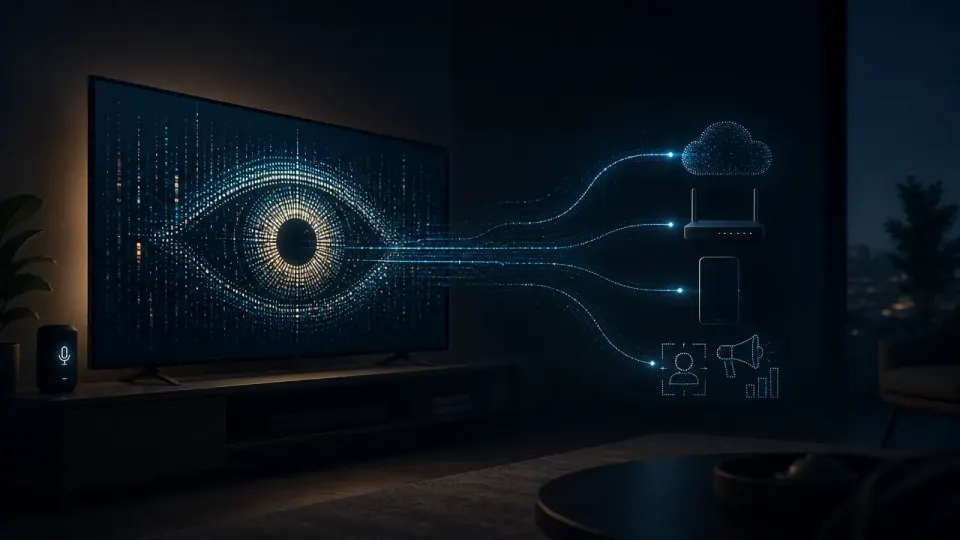
Table of Contents
Quick Answer
Smart TVs can collect viewing habits, device identifiers, app activity, and information about content shown through HDMI inputs, but this is usually routine tracking rather than constant recording of conversations. To improve smart TV privacy, disable automatic content recognition and viewing-information services, turn off personalized advertising, review voice and app permissions, and reset the advertising identifier.
That does not necessarily mean your television is secretly recording every conversation in your home. In most cases, the bigger smart TV privacy issue is routine data collection: what you watch, which apps you use, what devices connect to the TV, and how the television interacts with advertising and recommendation systems.
The good news is that you can usually reduce this collection without abandoning every smart feature. The exact menu names vary by model and software version, but the controls usually cover the same areas: viewing information, automatic content recognition, personalized advertising, voice features, apps, accounts, and connected devices.
What Smart TVs Can Collect About You
A smart TV is both a screen and an internet-connected computer. Its privacy settings can affect more than the programs you watch through a built-in streaming app.
- Programs, channels, advertisements, or other content displayed on the screen
- Viewing times and approximate duration
- Which built-in services or apps you open
- Device identifiers and advertising identifiers
- IP address and general location inferred from the network
- TV model, operating system, software version, and diagnostic information
- Interaction with recommendations, search, and promotional banners
This information may be used to operate the service, improve products, measure audiences, personalize recommendations, or deliver targeted advertising. The privacy policy for your specific television should explain the categories of data and the purposes involved.
The TV may also know that another device is connected through HDMI, Bluetooth, Wi-Fi, or a local network. Depending on the software and recognition features enabled, the television may process information about connected equipment, input activity, or content displayed through that connection.
- A cable or satellite box
- A game console
- A Blu-ray player
- A separate streaming device
- Another HDMI-connected source
The exact capabilities vary. ACR does not necessarily understand every frame or record a copy of everything on screen. It can use audio, video, fingerprints, or other signals to match displayed content with a database. If you use a TV for sensitive work presentations, personal videos, or private gaming, check whether viewing-information collection covers HDMI inputs.
How Automatic Content Recognition Tracks What You Watch
For example, imagine that you watch a news program through a cable box. Later, you use a game console and then watch a movie through a separate streaming stick. If ACR is enabled, the TV may be able to identify some of those programs or advertisements regardless of which input you used.
ACR smart TV features may have names such as:
- Viewing Information Services
- Viewing Data
- Smart TV Experience
- Live Plus
- Content Recognition
- Interest-Based Advertising
- Personalized Recommendations
- Usage Information
A setting may be presented during the initial setup process, inside the terms and conditions, or under a separate privacy menu. Do not assume that declining personalized advertising also disables ACR. These are often separate choices.
For example, a household that watches cooking programs, live sports, and children’s animation may receive different recommendations or advertisements from a household that watches documentaries and financial news. Even if the TV does not know the viewer’s name, viewing patterns can still be valuable when connected with a device identifier, IP address, or account.
The case does not mean every television manufacturer collects data in the same way. It does show that viewing information can be commercially significant and that setup choices, disclosures, and consent controls matter. Consumers should not treat a television’s data collection as harmless simply because the information is about programs rather than names or messages.
Are Smart TVs Listening to Your Conversations?
Many systems send a voice request to a service provider so it can interpret commands such as “open the sports app” or “find comedy movies.” Some devices may retain voice recordings, transcripts, or related diagnostics according to their settings and privacy policy.
This is different from ACR. ACR identifies content displayed on the television; voice recognition processes spoken commands. Disabling one does not necessarily disable the other.
- You do not use voice search or voice commands
- A microphone is built into the TV or remote
- The TV is connected to a household voice assistant
- Multiple people use the television and may not expect voice data collection
- You have enabled voice personalization, voice history, or wake-word detection
Look for options such as Voice Recognition , Voice Interaction , Microphone , Wake Word , Voice History , Assistant , or Improve Voice Services . Some remotes have a physical microphone switch; use it when available.
How to Check Smart TV Privacy Settings
Menu names can change after a software update, and two models from the same brand may use different labels. If you cannot find a control, search the television’s built-in help system for “privacy,” “viewing,” “advertising,” “voice,” or “content recognition.”
A setting that says it improves recommendations may still involve viewing-data collection. Read the description carefully. If the option covers content from HDMI inputs, it should say so in the details or privacy notice.
- The TV’s built-in microphone
- A voice-enabled remote
- A connected smart speaker
- A camera used for video calls or gesture controls
- A game console with voice or camera features
- A television app with microphone or camera access
Disable features you do not use. If the TV has a camera, physically cover it or disconnect it when it is not needed, provided doing so does not damage the device.
How to Stop or Reduce Smart TV Tracking
If a setup screen offers separate choices for service operation, recommendations, advertising, and viewing information, review each one. Turning off only recommendations may not stop the underlying viewing-data collection.
This usually changes how ads are selected; it does not remove all advertisements. You may still see commercials, promotional tiles, or sponsored recommendations. They should simply be less specifically matched to your interests.
A practical sequence is:
Resetting an identifier is not the same as deleting all historical data held by a manufacturer or app provider. Check the relevant privacy controls and account settings for deletion options.
- Microphones
- Cameras
- Location
- Contacts
- Local network devices
- Usage or viewing activity
A streaming app may need network access to play video, but it may not need microphone or camera access. Deny optional permissions when the TV allows it.
Smart TV Privacy Settings by Brand
The following terms are useful starting points. Exact labels vary by model, country, and software version.
Also check personalized advertising, voice interaction, account services, and installed apps. Declining optional terms during setup may limit recommendations or connected features, but it can reduce data collection.
Check voice services separately, especially if the remote includes a microphone. LG’s privacy choices may also be distributed across the TV’s terms, account settings, and individual app permissions.
Also check the Roku account and each installed channel or app. Turning off a platform-level setting may not change the separate privacy practices of a streaming service.
Google TV may combine television functions with account-based recommendations. If you want less personalization, review both the TV’s local settings and the account activity controls associated with the device.
Because menu names and available options vary, use the wording in the on-screen descriptions rather than relying on a single set of instructions for every Vizio television.
What Changes When You Disable Tracking?
Additional Ways to Protect Smart TV Privacy
You can also use the television primarily as a display and disable built-in smart features, if the model allows it. This may reduce some platform-level collection but will not necessarily change data collected by connected devices or apps.
Pay attention to whether data is used for service operation, analytics, personalized advertising, audience measurement, or sharing with service providers. Optional features deserve particular scrutiny because you may not need them for basic television viewing.
A Quick Smart TV Privacy Checklist
Use this checklist for a five-minute review:
- [ ] Confirm whether ACR or viewing-information collection is enabled.
- [ ] Turn off Smart TV Experience, Live Plus, Viewing Information Services, or equivalent features if you do not need them.
- [ ] Disable personalized or interest-based advertising.
- [ ] Reset the TV’s advertising identifier.
- [ ] Review microphone, camera, voice recognition, wake-word, and assistant settings.
- [ ] Inspect app permissions and uninstall apps you do not use.
- [ ] Sign out of old accounts and remove unknown connected devices.
- [ ] Check privacy settings after major software updates or factory resets.
- [ ] Review the privacy policies for the TV platform and important apps.
- [ ] Consider a separate network for smart-home and entertainment devices.
The Bottom Line: Smart TV Privacy Is About Data Collection, Not Just Microphones
The question “Are smart TVs spying on you?” is understandable, but it can point attention in the wrong direction. For most owners, the more immediate issue is not constant secret audio surveillance. It is the collection of viewing behavior, device information, app activity, and advertising data through ordinary smart TV features.
ACR, viewing-information services, personalized advertising, voice assistants, and app permissions are separate controls. Review each one instead of looking for a single master privacy switch.
You do not have to disable every connected feature. Start with the services you do not use, the data collection you do not understand, and the permissions that do not seem necessary.
Take a Five-Minute Smart TV Privacy Checkup Today
Open your television’s settings and search for Privacy , Viewing , Advertising , Voice , and Apps . Turn off tracking features you do not need, reset the advertising identifier, and record your choices.
Then repeat the check after a software update, factory reset, or change in household accounts. Privacy settings can move or revert when the TV’s software changes.
A smart TV is more private when you know what it collects, why it collects it, and which features you have chosen to keep enabled.
Step-by-Step Guide
Open the privacy settings
Go to Settings and check Privacy, General & Privacy, Terms and Conditions, Legal, Smart TV Experience, Data Collection, and Advertising menus.
Disable viewing-data collection
Turn off options named Automatic Content Recognition, Viewing Information Services, Viewing Data, Content Recognition, Live Plus, or similar controls, and check whether they include HDMI inputs.
Turn off personalised advertising
Disable Personalized Ads, Interest-Based Advertising, Targeted Advertising, or Ads Based on Viewing Activity to reduce advertising based on your activity.
Reset the advertising identifier
After disabling targeted advertising, reset or delete the TV’s advertising identifier to reduce the connection between previous activity and future advertising profiles.
Review voice and device controls
Disable unused microphones, wake-word detection, voice history, cameras, connected assistants, and permissions for local network, location, microphone, or camera access.
Remove unused apps and accounts
Uninstall unfamiliar or unnecessary apps, sign out of services you no longer use, and review each streaming provider’s privacy and data-deletion controls.
Key Statistics
- U.S. regulators resolved a Vizio viewing-data case with $2.2 million in payments.The Federal Trade Commission and New Jersey regulators announced the 2017 resolution after alleging that Vizio collected viewing histories from millions of televisions without adequate consent or disclosure.
- The Vizio matter involved millions of televisions.The scale referenced by U.S. regulators demonstrates that viewing information can be commercially significant even when it does not include a viewer’s name, message content, or conversation recordings.
Frequently Asked Questions
Are smart TVs spying on you?
How do I stop my smart TV from tracking what I watch?
Can a smart TV track content from HDMI devices?
How do I stop my smart TV from listening?
Key Takeaways
- Smart TVs may collect viewing history, app activity, device identifiers, IP addresses, and diagnostic information.
- Automatic content recognition can identify some programs and advertisements shown through HDMI-connected devices.
- Viewing-data tracking, personalized advertising, and voice recognition are separate privacy controls.
- Disabling personalized ads does not necessarily stop underlying viewing-data collection or delete historical records.
- Review privacy menus, microphone controls, app permissions, accounts, and advertising identifiers after setup or software updates.