
Why AI Coding Tools Create Technical Debt Fast
Why AI coding tools create technical debt: a candid engineering postmortem with refactor lessons, rewrite signals, and safer AI coding rules.

Table of Contents
Quick Answer
Why AI coding tools create technical debt comes down to one thing: they can boost output faster than they build understanding. When code arrives quickly without architectural intent, teams inherit hidden coupling, brittle abstractions, and a codebase nobody can safely change.
Why AI coding tools create technical debt stopped feeling theoretical the day one feature request forced a full reset. Three months of AI-assisted coding felt fast, even a little intoxicating. Then the codebase snapped back. Hard. What looked like momentum turned into negative velocity, and deleting the whole thing felt less dramatic than keeping up the fiction that it was maintainable.
Why AI coding tools create technical debt in real projects

Why AI coding tools create technical debt comes down to this: they optimize for local correctness, not long-term system coherence. Simple enough. That sounds abstract, but in practice ChatGPT, Claude, and GitHub Copilot can each produce code that works right now while quietly making the next change more painful. We'd argue that's the core failure mode. A 2024 GitHub survey found most developers reported productivity gains from AI coding assistants, yet those gains centered on task completion speed rather than maintainability over time. That's a very different yardstick. My side project traced that exact curve: auth worked, the admin panel worked, the API returned the right data, and deployment stayed green. But when a new feature needed changes across persistence, business logic, and the UI, the abstractions gave way. Fast. The debt wasn't just messy code. It was missing intent, and intent is what keeps software changeable. That's a bigger shift than it sounds.
What broke in this AI-generated codebase when refactoring started

The AI-generated codebase came apart at the seams, where separate good-enough choices had stacked into one bad system. That's the ugly part. Feature flags followed one pattern, validation followed another, and state management changed style depending on which model had written the file. Anthropic's Claude often produced cleaner long-form reasoning and better file-level structure, while ChatGPT moved faster on isolated functions, and Copilot excelled at in-editor completion. But none of them reliably guarded architectural consistency across weeks of work. So when one feature touched billing, permissions, and event logging, each edit kicked off second-order bugs. According to Google's DORA research, software delivery performance depends heavily on maintainability and change failure rate, not just raw output speed. This codebase had drifted the wrong way. Quietly. The deepest problem was the loss of debugging intuition. I hadn't built enough of the logic myself to predict where the next fix would ripple. Worth noting.
Problems with AI generated codebase patterns that hide until later
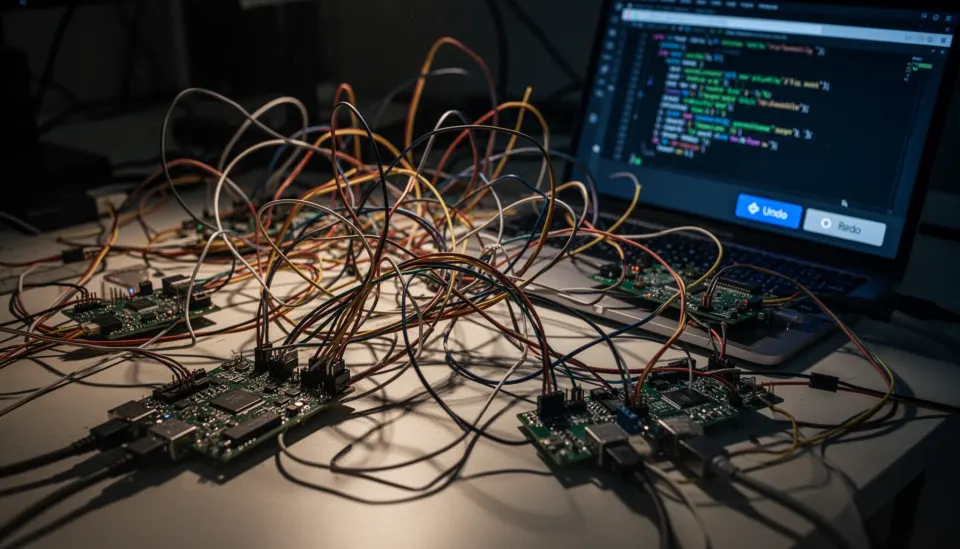
Problems with AI generated codebase patterns usually stay hidden until the first cross-cutting change lands. That's why so many builders feel productive right up to the moment they really don't. The code had duplicate helper functions with slightly different behavior, over-abstracted service layers nobody asked for, and inconsistent error handling that looked tidy when viewed one file at a time. Stripe's engineering teams have long stressed clear ownership boundaries and explicit interface design for systems that need to evolve, and AI-generated projects often drift away from both when prompts happen file by file. Here's the thing. Architecture drift doesn't require bad syntax. It only needs a pile of plausible decisions made without a stable model of the domain. And that's what happened here. The side project had turned into a stack of individually reasonable answers to a question nobody had framed at the system level. We'd argue that's more consequential than a few ugly functions.
Refactoring AI generated code safely or rewriting it from scratch

Refactoring AI generated code safely works only when the system still has understandable boundaries and tests that can catch behavior drift. If those are missing, rewriting is often cheaper. Martin Fowler's long-running rule of thumb still applies: refactoring preserves behavior, while redesign changes structure and often intent, and teams blur those lines at their peril. I tried the salvage path first by adding characterization tests, mapping dependencies, and consolidating duplicated modules. But every cleanup step exposed fresh hidden coupling, especially around data models and side effects. Not quite. So the decision flipped. Once the estimated time to refactor safely passed the cost of a focused rebuild with a clearer architecture, deletion stopped looking like failure and started looking like cost control. That's a sharper call than most teams want to make.
Deleted AI generated code lessons learned for founders and solo builders

Deleted AI generated code lessons learned come down to this: rely on AI as an accelerator for systems you already understand, not as a stand-in for engineering judgment. That's the honest takeaway. If you're a founder or solo builder, trust AI-generated code when the problem is narrow, the boundaries are clear, and you can explain each module without rereading prompt history. Stop and re-architect when one feature forces edits across many files, when naming stops matching the domain, when tests describe symptoms instead of behavior, or when you can't trace a bug from input to storage in one sitting. A 2024 Stack Overflow developer survey found AI tool usage surged, but trust and accuracy concerns stayed high, which lines up with this postmortem almost exactly. Here's the thing: my checklist is simple. Can I diagram the architecture, name the invariants, trace the data flow, and predict the blast radius of a change? If the answer is no twice in a row, don't patch harder. Reset the design. We'd say that's the part founders should keep pinned above the desk.
Step-by-Step Guide
Audit the architecture before adding features
Start by mapping the main modules, data flows, and external dependencies in plain language. If you can't explain the system without opening ten files, the code already carries hidden debt. Write down which parts feel stable and which parts only appear to work because nobody has stressed them yet.
Measure change cost with a real feature
Pick one feature that crosses multiple layers and estimate the effort before you begin. Then track how many files changed, how many regressions appeared, and how often you had to inspect AI-generated logic you didn't fully understand. That gap tells you more than a linter ever will.
Add characterization tests around fragile behavior
Wrap the current behavior in tests before major edits, even if the behavior looks awkward. This gives you a floor to stand on while you decide whether salvage is realistic. Use integration tests for workflows, not just unit tests for isolated helpers.
Identify architecture drift and duplicate intent
Look for multiple patterns solving the same problem: validation styles, state containers, service wrappers, retry logic, and data access layers. Those duplicates signal that AI output followed prompt context rather than system rules. When intent is duplicated, maintenance costs rise fast.
Decide between salvage and rewrite
Choose refactoring if boundaries remain legible and tests can catch breakage with confidence. Choose a rewrite if hidden coupling keeps expanding and each cleanup step uncovers another design contradiction. Be ruthless here, because sunk cost thinking is expensive.
Set rules for future AI-assisted programming
Use AI for scaffolding, test generation, repetitive CRUD, and documentation drafts, but keep architectural choices human-led. Require design notes before big changes and insist that every merged module has an owner who can explain it. That's how AI stays useful instead of becoming a liability.
Key Statistics
- GitHub’s 2024 developer research found a large majority of users felt AI coding tools improved speed on routine tasks.That matters because perceived speed gains can mask maintainability losses when teams measure output instead of future change cost.
- The 2024 Stack Overflow Developer Survey reported that a strong majority of developers use or plan to use AI tools, while trust concerns remained significant.Adoption is rising faster than confidence, which helps explain why many teams ship quickly but hesitate to rely on generated code in core systems.
- Google Cloud’s DORA research continues to tie software delivery performance to maintainability and lower change failure rates, not raw coding throughput alone.This is the right benchmark for AI-assisted programming: how safely a team can change software after the first release.
- Industry studies on code review consistently find that defect detection costs rise sharply the later issues surface, especially after integration begins.AI-generated architectural drift often stays hidden until integration or refactoring, when the repair bill is much higher than the original coding cost.
Frequently Asked Questions
Why do AI coding tools create technical debt so quickly?
What are the biggest problems with an AI generated codebase?
How can you refactor AI generated code safely?
When should founders rewrite instead of patching AI-assisted code?
Are ChatGPT, Claude, and Copilot all equally risky for maintenance?
Key Takeaways
- AI sped up shipping, but it quietly erased architectural understanding
- The real cost appeared during refactoring, not during the first build
- ChatGPT, Claude, and Copilot each failed differently under maintenance pressure
- A rewrite made sense once change cost exceeded rebuild cost
- Founders need a checklist for trusting AI code versus starting over