
Google AI Playground: Can It Really Make a Good Game?
Google AI Playground can turn prompts into playable prototypes, but human design is still needed to make games polished, balanced, and fun.
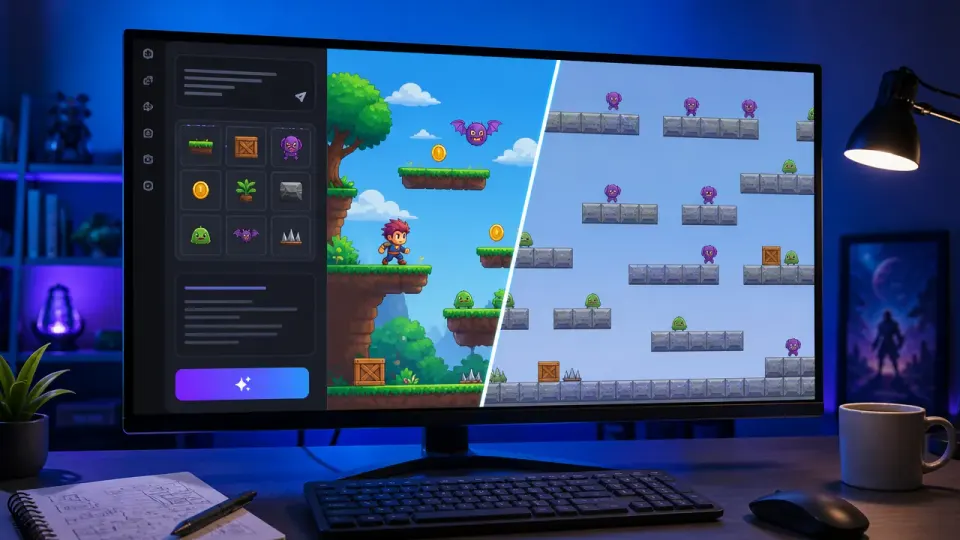
Table of Contents
Quick Answer
Google AI Playground can turn text prompts into playable game prototypes without traditional coding. However, early testing suggests it still struggles with balance, controls, pacing, and the design judgment required to make a game genuinely fun.
That makes it an appealing entry point for beginners and a fast way for experienced creators to test concepts. But there is an important difference between producing a working prototype and making a game that is polished, balanced, and genuinely fun. Early hands-on testing suggests Google AI Playground is much better at the first task than the second.
What Google AI Playground Does and Who Can Use It
Google AI Playground is an experimental Google Labs gaming platform for conversational game creation. Users can begin with a blank canvas, remix a starter idea, or describe a game they want to build. The system then turns that instruction into an interactive experience that can be played in the browser.
The platform is aimed at people who may not have coding experience. A prompt such as “make a simple 2D space shooter with waves of enemies” can provide a starting point without requiring users to write game logic, configure a game engine, or create every asset from scratch.
Google announced Playground for users in the United States who are 18 or older. Its positioning is exploratory rather than professional: it lowers the barrier to trying an idea, but it does not promise to replace a full development workflow.
How Text-to-Game Creation Works in Practice
The creation process combines structured choices with natural-language instructions. Depending on the project, users can specify or select:
- A genre, such as a platformer, puzzle game, shooter, or arcade experience
- A 2D or 3D presentation
- Single-player or multiplayer play
- A visual style, mood, setting, or theme
- Gameplay elements, including enemies, objectives, weapons, and movement
- Uploaded assets that can help define the game’s appearance
After generating a version, users can immediately play it in the browser. That quick feedback loop is one of the platform’s strongest features. Instead of spending hours setting up a project before testing an idea, a creator can move from a sentence to a playable experiment.
Conversational guidance is also central to the experience. A user can ask for changes in plain language, such as adding obstacles, changing the environment, or making a level more difficult. In theory, this creates a more approachable form of no-code game development: the creator explains the desired result while the AI handles much of the implementation.
In practice, the quality of the instruction matters. “Make a fun game about robots” leaves major design decisions unresolved. A more useful prompt might define the player’s goal, controls, win condition, camera perspective, difficulty curve, and the type of challenge the game should provide.
The Biggest Problem: A Playable Prototype Is Not a Good Game
Google AI Playground can produce something that runs. That is a meaningful achievement, especially for someone who has never used a game engine. But functionality alone does not create a satisfying game.
A hands-on test by WIRED produced three playable games, yet described them as stable and poor in quality. That result captures the platform’s current limitation. The AI can assemble recognizable ingredients - a player character, a level, enemies, and a goal - without necessarily understanding how those elements should work together.
A game can be technically complete and still feel wrong because:
- The controls are imprecise or inconsistent
- Enemies are too easy, too strong, or repetitive
- Objectives are unclear
- Levels lack pacing and meaningful choices
- Weapons or abilities do not feel rewarding
- The visual style is disconnected from the mechanics
- Multiplayer features exist without creating interesting interaction
These problems are not minor finishing details. They determine whether a player understands the game, improves at it, and wants to keep playing.
For example, generating a platformer with jumping and hazards is relatively straightforward. Designing jump distances that feel fair, placing hazards to create tension, and introducing difficulty at the right pace requires testing and judgment. An AI-generated game may include all the expected components while missing the experience that makes them enjoyable.
Why Iteration, Credits, and Game-Design Expertise Still Matter
The platform’s conversational approach suggests that revisions should be easy: describe what is wrong and ask the AI to fix it. Early testing indicates that this process can be less reliable than it sounds.
When an unwanted result appears, changing one feature may alter another. Asking for faster enemies could affect balance. Requesting a new weapon might change the control scheme or level layout. A revision may solve one problem while introducing a different one, forcing the creator to spend more time diagnosing the result.
Usage credits add another constraint. If each generation or major revision consumes a limited allowance, experimentation becomes a trade-off. Users must decide whether to keep refining a flawed version, start over with a clearer prompt, or save credits for a more ambitious idea.
This is where game-development expertise remains important. Designers know how to break a problem into smaller tests, identify the source of a frustrating mechanic, and judge whether a change improves the overall experience. They also understand that good games are built through repeated playtesting, not just successful generation.
The most effective approach is therefore to treat Google AI Playground as a prototyping partner. Use it to test a concept, explore a visual direction, or demonstrate a basic mechanic. Then evaluate the result like a designer: What is the player supposed to learn? Where does the challenge become interesting? Which actions feel satisfying? What should be removed?
Where Google AI Playground Could Go Next
Google plans to integrate Unity Spark, which could expand the platform’s ability to create and refine game mechanics. Better support for consistent systems, richer interactions, and more controllable revisions could address some of the gap between a rough demo and a stronger game.
Sharing is already part of the platform’s appeal. Games can remain private, be shared through a link, or be published to an Explore gallery. Features such as leaderboards and continued post-release modification could give creators reasons to keep improving their projects instead of treating generation as a one-time experiment.
Those features may also reveal the platform’s real value. Google AI Playground does not need to generate a commercial-quality game from a single prompt to be useful. It can succeed by helping more people turn an idea into something playable, shareable, and easier to discuss.
For now, its best role is rapid prototyping and experimentation. If you are in the United States and 18 or older, try Google AI Playground with a tightly defined concept, test the result immediately, and revise it with specific goals. The AI may get the structure started quickly. Making the experience polished, balanced, and fun still requires a human designer.
Step-by-Step Guide
Define the game concept
Write a focused prompt that specifies the genre, player goal, controls, camera perspective, win condition, visual style, and intended challenge.
Generate a playable prototype
Use Google AI Playground to create the initial game, choosing the relevant format, gameplay elements, presentation style, and available assets.
Playtest the first version
Play the result immediately and record specific issues with controls, objectives, enemy behavior, pacing, difficulty, and player feedback.
Request targeted revisions
Ask for one focused change at a time, such as adjusting enemy speed or clarifying the objective, so you can identify what each revision affects.
Evaluate the overall experience
Decide whether each change improves the game as a whole, rather than judging success only by whether the requested feature was added.
Share or continue refining
Keep the project private, share it by link, or publish it to the Explore gallery after testing; continue iterating when the core experience shows promise.
Key Statistics
- A WIRED hands-on test produced three playable games, but described them as stable and poor in quality.This testing provides an early indication that Google AI Playground can generate functional prototypes without consistently delivering strong game design.
- Google announced the platform for users in the United States who are 18 or older.This access information comes from Google's positioning of Google AI Playground as an experimental Google Labs gaming platform.
- Google plans to integrate Unity Spark into the platform.The planned integration, described in the article's source context, could improve support for game mechanics, richer interactions, and more controllable revisions.
Frequently Asked Questions
What is Google AI Playground?
Can Google AI Playground make a good game?
Who can use Google AI Playground?
How should creators prompt Google AI Playground?
Key Takeaways
- Google AI Playground lowers the barrier to creating playable game prototypes from natural-language prompts.
- The platform is more effective at assembling game structures than delivering polished, balanced player experiences.
- Specific prompts that define goals, controls, difficulty, and mechanics produce more useful results than vague ideas.
- Conversational revisions can introduce new problems and may consume limited usage credits.
- The platform is best treated as a rapid-prototyping partner, while human designers handle testing and refinement.